How to Create and Issue Certificates Faster with an Automated Tax Certificate Generator
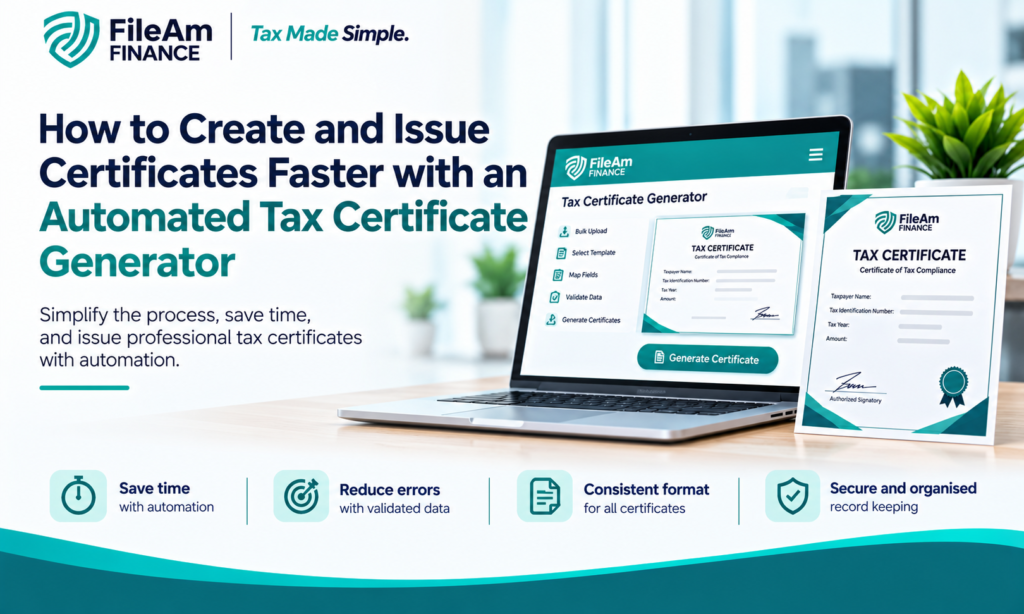
Creating and issuing tax certificates manually can be a time-consuming administrative task. Businesses, accountants, payroll teams, and financial departments often have to collect taxpayer information, verify payment details, enter data into templates, generate documents, check for errors, and send certificates to the appropriate recipients. When these steps are repeated for dozens or hundreds of certificates, the process can quickly become inefficient.
A tax certificate generator can simplify this workflow by automating many of the repetitive tasks involved in preparing and issuing tax-related certificates. Instead of creating every document from scratch, organizations can use automated systems to populate predefined certificate templates with accurate information and produce professional documents in a fraction of the time.
This guide explains how automated tax certificate generation works, how to set up an efficient workflow, and what to consider when choosing a solution.
What Is a Tax Certificate Generator?
A tax certificate generator is a digital tool that helps organizations create tax certificates automatically using information stored in a database, spreadsheet, accounting system, payroll platform, or other business application.
Rather than manually typing information into individual documents, users can enter or import the required data and allow the software to populate the appropriate fields.
Once the information has been validated, the generator can create certificates in a consistent format, often as downloadable or printable documents.
The exact fields, format, retention requirements, and approval procedures should always be configured according to the applicable tax authority’s current rules
Depending on the system and applicable tax requirements, information may include:
- Taxpayer or employee name
- Tax identification number
- Employer or business information
- Taxable income
- Tax deducted or withheld
- Payment dates
- Relevant tax year or reporting period
- Certificate number or reference
- Authorized signatures or approval information
Once the information has been validated, the generator can create certificates in a consistent format, often as downloadable or printable documents.
The exact fields, format, retention requirements, and approval procedures should always be configured according to the applicable tax authority’s current rules.
Why Automate Tax Certificate Creation?

Manual certificate preparation creates several opportunities for delays and errors. Even when employees carefully enter information, repetitive data entry can result in spelling mistakes, incorrect figures, duplicate certificates, or missing fields. Automation addresses these challenges by reducing unnecessary manual work.
1. Faster certificate production
One of the biggest advantages of automation is speed. A team can generate multiple certificates from a single data set instead of creating each document individually.
For example, suppose an organization needs to prepare certificates for 500 recipients. A manual process could require employees to open a template 500 times, enter the relevant information, save the document, check it, and distribute it.
With an automated workflow, the organization may be able to import the required data, validate it, and generate the documents in batches.
The result is a much shorter processing cycle.
2. Reduced data-entry errors
Copying information from one system into another creates a common source of administrative errors. A tax certificate generator can use structured data to populate certificate fields automatically.
This can reduce mistakes such as:
- Incorrect names
- Transposed numbers
- Missing tax identification numbers
- Incorrect reporting periods
- Inconsistent formatting
- Duplicate entries
Automation does not eliminate the need for review, however. Organizations should still validate the underlying data before issuing certificates.
3. Consistent document formatting
When certificates are created manually, different employees may use slightly different formatting, fonts, layouts, or versions of a template.
An automated generator can use a standardized template. Every certificate can therefore follow the same structure and branding while displaying recipient-specific information.
Consistency is particularly useful when certificates are issued at scale.
4. Easier record keeping
Digital certificate generation can also make document management easier.
Instead of storing certificates across individual computers and email accounts, organizations can establish a centralized process for generating, naming, storing, and retrieving certificates.
For example, a system could organize documents according to:
Tax year → Department → Recipient → Certificate number
The exact structure will depend on the organization’s internal requirements and applicable record-retention rules.
How an Automated Tax Certificate Generator Works
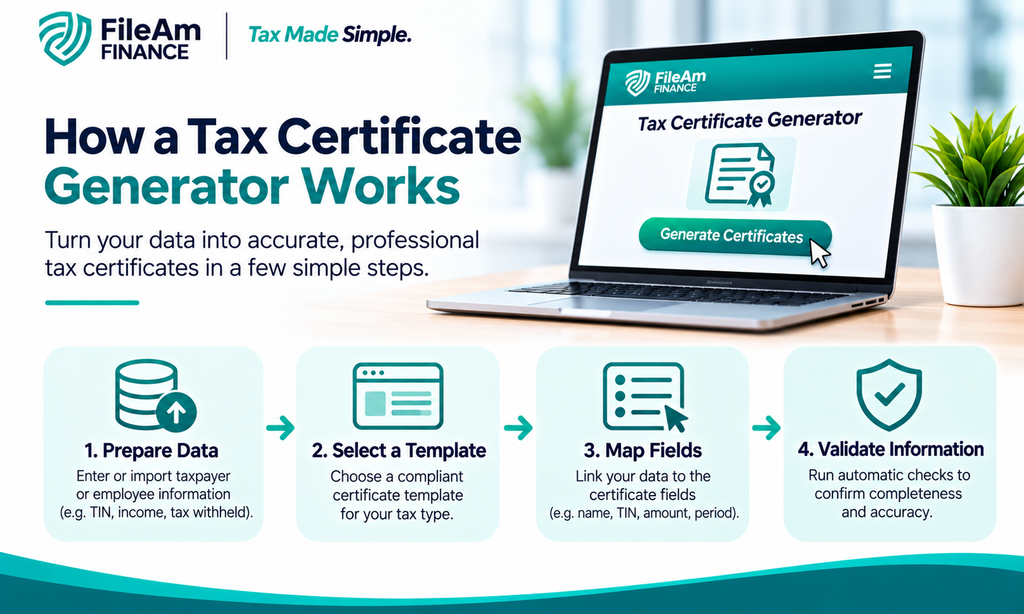
Although different systems have different features, most automated certificate workflows follow a similar process.
Step 1: Prepare the required data
Start by collecting the information needed for the certificate.
The source could be:
- Payroll software
- Accounting software
- An employee database
- A spreadsheet
- A customer or supplier management system
- A tax reporting platform
- A business database
Before generating certificates, check that the information is complete and current.
Data validation is important because automation can reproduce incorrect information just as quickly as correct information.
Step 2: Create or select a certificate template
The next step is to establish the certificate format.
A template should contain the required fields and provide enough space for variable information. It can also include organizational branding, document titles, certificate numbers, dates, signatures, and other relevant elements.
Avoid designing a template based solely on an old certificate. Instead, verify that the format and required information are appropriate for the current tax period and applicable regulations.
Step 3: Map data to certificate fields
The generator needs to know which data belongs in each field.
For example:
| Data source | Certificate field |
|---|---|
| Employee_Name | Recipient name |
| Tax_ID | Tax identification number |
| Tax_Year | Reporting period |
| Gross_Income | Taxable income |
| Tax_Withheld | Tax deducted |
| Employer_Name | Issuing organization |
Once this mapping is configured, the system can automatically transfer information into the appropriate locations.
Step 4: Validate the information
Before issuing certificates, introduce validation checks.
Useful checks may include confirming that:
- Required fields are not blank
- Tax identification numbers follow the expected format
- Amounts contain valid numerical values
- Reporting periods are correct
- Recipient records are not duplicated
- Calculated values match the underlying records
More advanced systems can include automated validation rules that flag suspicious or incomplete records for human review.
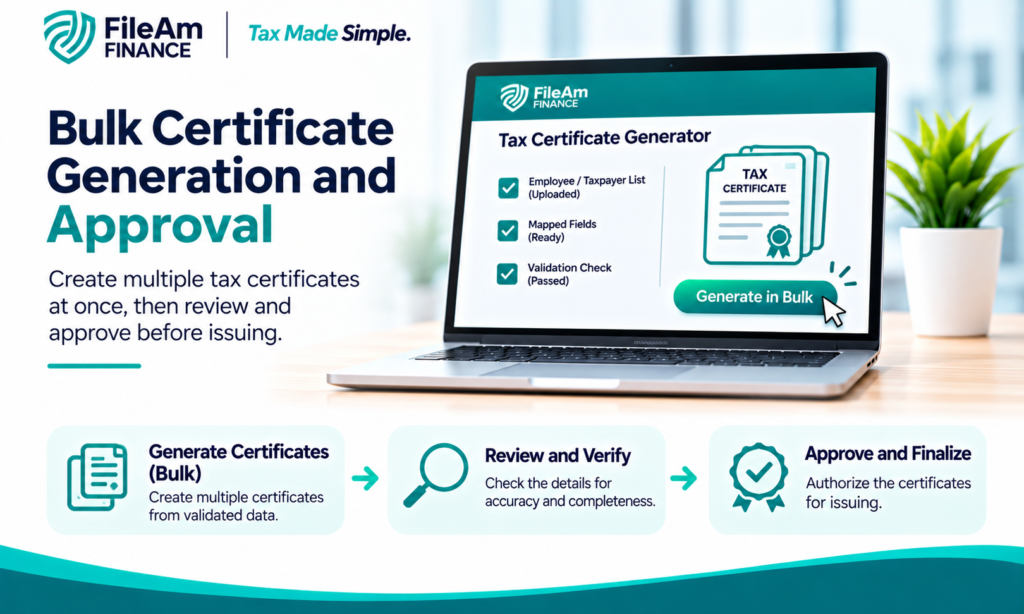
Step 5: Generate certificates in bulk
Once the data has passed validation, certificates can be generated.
Depending on the software, the output may be created individually or in batches. A batch-generation feature is especially useful for payroll departments and organizations that issue certificates to large numbers of recipients.
A useful file-naming convention can make the resulting documents easier to manage. For example:
TaxCertificate_2026_RecipientName_ReferenceNumber.pdf
Organizations should avoid putting unnecessary sensitive information in filenames.
Step 6: Review the generated certificates
Automation should not mean skipping quality control.
Before distribution, review a sample of generated certificates and investigate any validation warnings.
For high-volume processes, automated checks can be combined with human approval. A designated employee can review exceptions rather than manually checking every routine certificate.
Step 7: Issue the certificates
After approval, certificates can be distributed through the organization’s approved delivery channel.
Depending on the applicable rules and recipient preferences, this could involve secure electronic delivery, a portal, or another authorized method.
Because tax certificates may contain sensitive personal and financial information, organizations should consider secure delivery and access controls rather than sending confidential documents through unsecured channels.
Features to Look for in a Tax Certificate Generator
Not every certificate-generation tool offers the same capabilities. Before choosing a solution, consider the following features.
Bulk generation
Bulk generation is essential when certificates need to be created for many recipients. It allows a team to process large datasets without creating documents individually.
Data import
Look for a system that can work with the data sources your organization already uses. Import options might include spreadsheets, CSV files, APIs, databases, or integrations with accounting and payroll systems.
Template customization
The software should allow you to create templates that match your organization’s requirements without making the process unnecessarily complicated.
Automated validation
Validation features can identify missing or potentially incorrect information before documents are issued.
PDF or other required formats
If certificates need to be distributed electronically, check whether the generator supports the appropriate file formats.
Audit trails
An audit trail can help organizations track when certificates were generated, modified, approved, or issued.
This can be valuable for internal controls and future document retrieval.
Access controls
Because certificates can contain sensitive information, consider role-based permissions and other security features. Employees should only have access to information necessary for their responsibilities.
Integration capabilities
Integration can make automation substantially more effective. If the certificate generator can receive information directly from payroll or accounting software, it can reduce the need for repeated manual exports and imports.
How to Make the Process Even Faster
Simply purchasing a generator does not automatically create an efficient workflow. The surrounding process also matters.
Start by documenting how certificates are currently produced. Identify every manual step and determine which steps actually require human judgment.
For example, data entry and document formatting are often suitable for automation, while reviewing unusual records may still require human involvement.
Next, create a standardized data structure. If different departments store the same information using different field names and formats, automation becomes more difficult.
Standardizing fields such as recipient name, identification number, reporting period, income, and tax deducted can make the generation process more reliable.
It is also useful to establish an exception workflow. Instead of stopping the entire batch because one record is incomplete, the system can flag that record while allowing valid certificates to continue through the process.
Finally, schedule certificate production around your reporting calendar. Generating certificates in a controlled batch after the relevant financial information has been reconciled can reduce last-minute pressure.
Security and Compliance Considerations
Tax certificates contain financial and personal information, so automation should be designed with security in mind.
Use appropriate authentication and access controls. Keep certificate data in systems with suitable security measures, and establish policies for storing and deleting documents.
Organizations should also consider encryption, secure backups, audit logs, and controlled document sharing.
Most importantly, automation should not be treated as a substitute for tax compliance. Certificate formats, required information, submission procedures, deadlines, and record-retention requirements can change.
Before deploying an automated process, verify the current requirements of the relevant tax authority and ensure that the system’s templates and workflows are updated accordingly.
Common Mistakes to Avoid
A few mistakes can reduce the benefits of automation.
- Using outdated templates: A certificate template created several years ago may no longer reflect current requirements.
- Automating unverified data: A generator cannot determine whether incorrect source data is legitimate. Validate information before generation.
- Skipping review: Automated documents still need appropriate quality-control procedures.
- Ignoring security: Tax documents should not be treated like ordinary business files.
- Overcomplicating the workflow: Automation should simplify certificate production. Too many unnecessary approval steps can eliminate some of the time savings.
- Failing to maintain the system: Templates, integrations, validation rules, and reporting requirements should be reviewed periodically.
The Future of Automated Tax Certificate Generation
As businesses continue to digitize their financial processes, certificate generation is increasingly becoming part of broader automated workflows.
Instead of treating certificates as separate documents, organizations can connect data collection, calculation, validation, approval, generation, distribution, and storage into one process.
This approach can reduce repetitive administrative work while creating a clearer record of how each certificate was produced.
For smaller organizations, even a simple automated workflow can provide meaningful time savings. Larger organizations may benefit from integrations that connect certificate generation directly to payroll, accounting, and reporting systems.
The key is to automate repetitive tasks without removing appropriate human oversight.
Conclusion
Producing tax certificates manually can consume significant time, particularly when an organization has hundreds or thousands of recipients. A tax certificate generator can streamline the process by automatically transferring validated information into standardized templates, generating documents in batches, and supporting more efficient distribution and record keeping.
The most effective approach combines automation with strong data validation, secure document handling, standardized templates, and human review for exceptions.
When implemented correctly, automated certificate generation can turn a repetitive administrative task into a structured digital workflow. Instead of spending hours entering the same information into individual documents, teams can focus their time on reviewing data, resolving exceptions, and ensuring that certificates are issued accurately and on schedule.