How Tax Operations Software Helps Businesses Improve Compliance and Reduce Administrative Costs
Managing taxes has become an increasingly demanding responsibility for businesses seeking to maintain regulatory compliance, control costs, and achieve sustainable growth. From tracking tax obligations and preparing returns to maintaining accurate financial records, businesses must handle numerous tax-related activities while keeping up with changing regulations. When these responsibilities are managed manually or through disconnected systems, errors, missed deadlines, and unnecessary administrative expenses can become difficult to avoid.
This is where tax operations software becomes a valuable business investment. By automating routine tax processes, organising financial information, and improving visibility into tax obligations, businesses can simplify tax administration and make better financial decisions. Whether a company operates in Nigeria or across multiple jurisdictions, adopting the right technology can help transform tax management from a time-consuming administrative burden into a more efficient business function.
For business owners, finance managers, accountants, and tax professionals, understanding how tax operations software works is essential when evaluating solutions that can improve compliance and operational performance.
What Is Tax Operations Software?
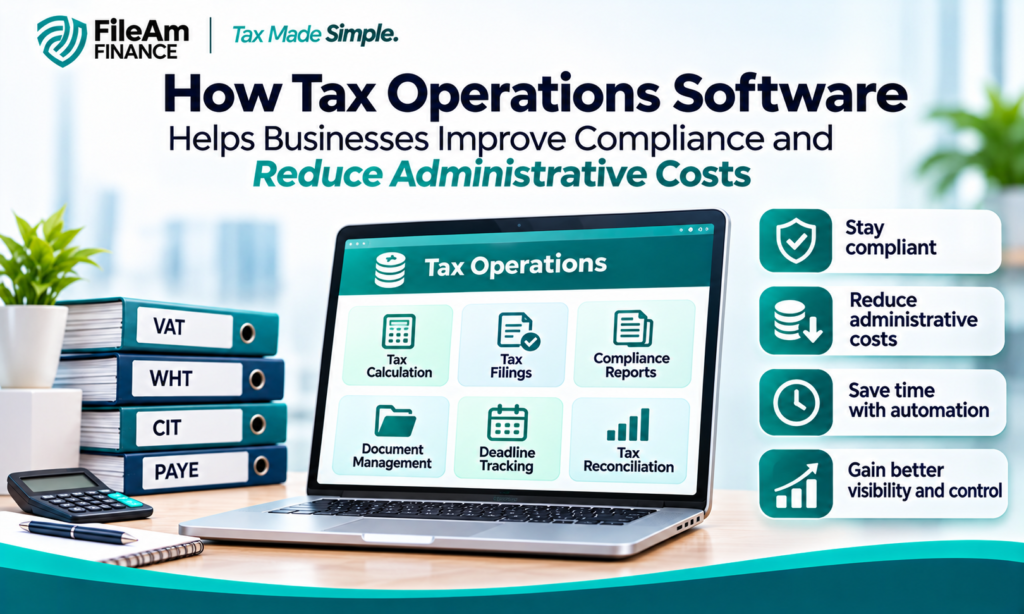
Tax operations software is a digital solution designed to help businesses manage, automate, and monitor their tax-related activities. Depending on its capabilities, the software may support tax calculations, transaction tracking, tax return preparation, compliance reporting, document management, reconciliation, and payment scheduling.
Instead of relying entirely on spreadsheets, paper records, and manual calculations, businesses can use a centralised platform to organise tax information and streamline repetitive tasks.
Some solutions focus on specific tax obligations, such as value-added tax (VAT), withholding tax, corporate income tax, or payroll-related taxes. Others offer broader functionality that integrates tax processes with accounting software, enterprise resource planning (ERP) systems, invoicing platforms, and financial reporting tools.
The objective is to improve accuracy, reduce administrative workloads, and provide businesses with better control over their tax responsibilities.
However, not every solution offers the same features. Businesses should therefore assess their tax requirements, transaction volumes
reporting obligations, and existing technology before choosing a platform.
Why Businesses Need Tax Operations Software
Tax compliance involves more than calculating how much tax a business owes. Companies must maintain supporting records, monitor deadlines, reconcile financial information, prepare accurate filings, and retain evidence of transactions.
These responsibilities can become increasingly complex as a business expands, employs more staff, serves additional customers, or operates across different locations.
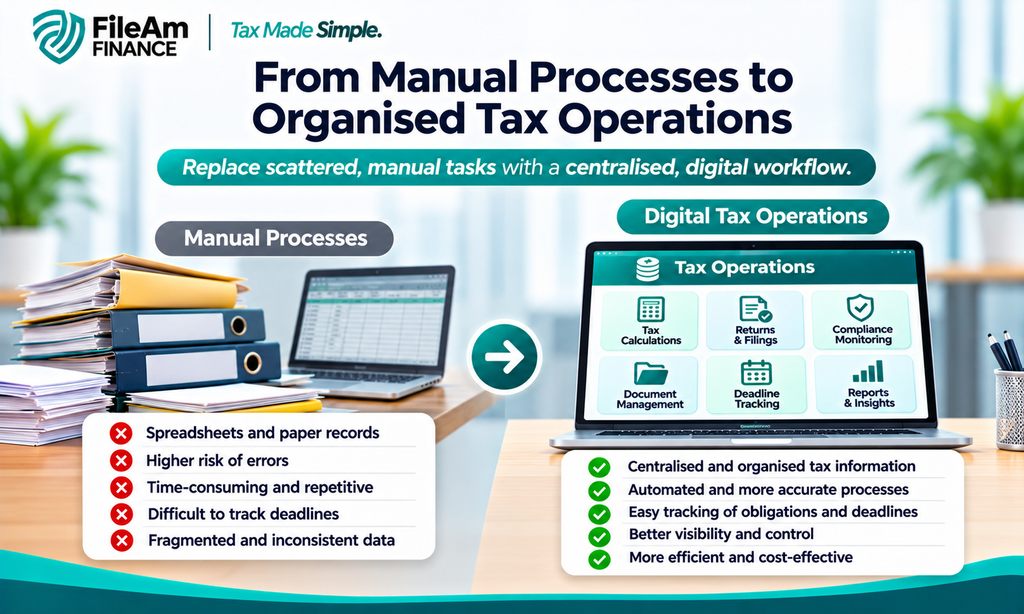
Manual processes often create several challenges.
First, manual calculations increase the risk of errors. Incorrect tax rates, duplicated transactions, missing invoices, and inaccurate financial entries can affect the reliability of tax reports.
Second, disconnected records make reconciliation difficult. When sales, expenses, payroll, and tax information are stored in separate systems, finance teams may spend considerable time matching transactions and investigating discrepancies.
Third, missed deadlines can lead to penalties and additional costs. Without an effective system for tracking tax obligations, businesses may overlook filing dates or payment requirements.
Finally, manual administration consumes valuable time. Finance professionals who spend hours gathering documents and preparing repetitive reports have less time available for financial planning, risk management, and business analysis.
Tax operations software helps address these challenges by bringing relevant information and processes into a more organised digital environment.
Key Features to Look for in Tax Operations Software
Selecting the right software requires more than comparing prices. Businesses should focus on features that address their specific operational and compliance needs.
1. Automated Tax Calculations
Automated calculations can reduce the amount of manual work required to determine tax liabilities. Depending on the platform, calculations may be based on transaction values, applicable tax categories, configured rates, and relevant business rules.
This is particularly useful for companies processing large numbers of invoices or transactions.
Nevertheless, automation does not eliminate the need for professional oversight. Businesses must ensure that tax rules, rates, exemptions, and classifications are configured correctly and updated when regulations change.
2. Tax Compliance Monitoring
An effective platform should help businesses monitor upcoming tax obligations, maintain compliance calendars, and organise the information needed for reporting.
Some systems provide deadline reminders, task assignments, and status dashboards that help finance teams identify outstanding activities before they become urgent.
For Nigerian businesses, it is important to evaluate whether a solution supports relevant federal and state tax requirements, including applicable obligations administered by the Nigeria Revenue Service (NRS), state internal revenue services, and other relevant authorities.
Because tax laws and administrative procedures can change, businesses should confirm that their chosen software reflects current requirements and supports the filings they actually need to make.
3. Reporting and Documentation
Accurate reporting is essential for internal decision-making, statutory compliance, and responding to tax enquiries.
Tax operations software can help generate reports, organise transaction histories, and maintain digital copies of supporting documents. These capabilities make it easier to retrieve records when preparing returns or reviewing previous transactions.
Businesses should also consider access controls, audit trails, document retention capabilities, and data export options when assessing reporting features.
4. Integration With Accounting Systems
Tax management becomes more efficient when information can flow between accounting software, invoicing systems, payroll platforms, and other financial applications.
Integration reduces the need to enter the same information repeatedly and can help minimise inconsistencies between financial records and tax reports.
Before purchasing a platform, confirm that it integrates with the systems your business already uses. Where direct integration is unavailable, evaluate the reliability and security of its import and export functionality.
5. Data Security and User Access Controls
Tax records may contain confidential business information, employee details, supplier data, and financial transactions.
A suitable platform should provide appropriate security controls, including user permissions, authentication measures, secure data storage, backups, and audit logging.
Businesses should also review the vendor’s privacy practices, data hosting arrangements, recovery procedures, and contractual responsibilities.
These safeguards are especially important when multiple departments, external accountants, or professional advisers need access to tax information.
Benefits of Implementing Tax Operations Software
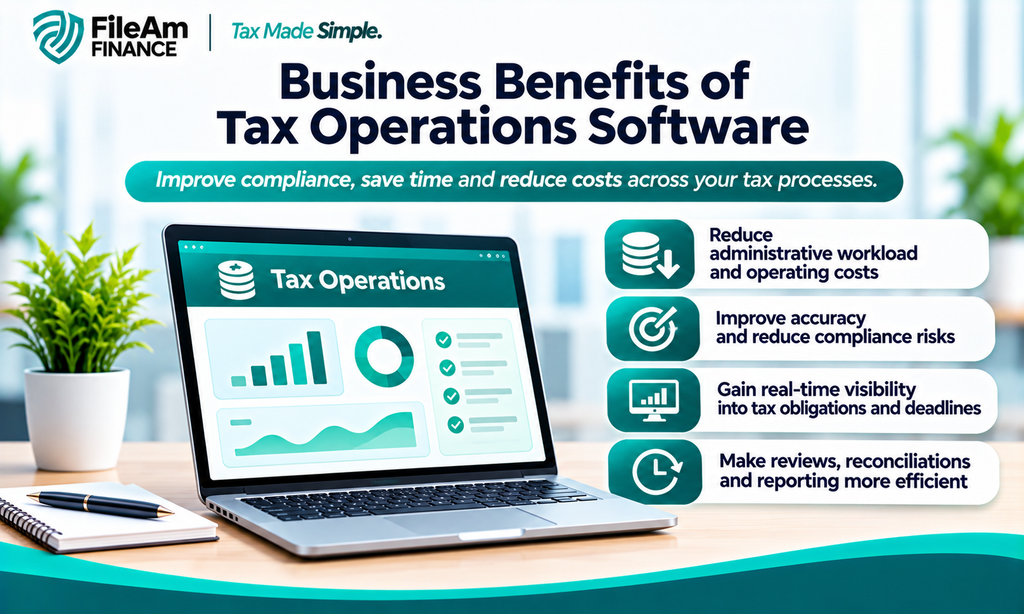
Investing in tax operations software can produce several operational and financial benefits when the solution is properly implemented.
Reduced Administrative Costs
Automating repetitive tasks can reduce the hours employees spend compiling spreadsheets, checking invoices, reconciling transactions, and preparing routine reports.
This allows finance teams to allocate more time to higher-value activities without necessarily increasing headcount.
The financial benefit will depend on the company’s transaction volume, current processes, software subscription fees, implementation costs, and the amount of manual work eliminated.
Improved Accuracy and Consistency
Standardised workflows and automated calculations can help reduce common data-entry and arithmetic errors.
For example, a business that processes hundreds of invoices each month may use configured tax rules to identify the relevant tax treatment and flag transactions requiring further review.
However, incorrect configuration or incomplete source data can still produce inaccurate results. Regular reconciliations and professional reviews remain important.
Better Visibility Into Tax Liabilities
A centralised system can help management understand current tax obligations, identify outstanding payments, and monitor upcoming deadlines.
This visibility supports cash-flow planning because businesses can anticipate tax-related expenses rather than treating them as unexpected financial demands.
It can also help finance managers identify unusual transactions or inconsistencies that require investigation.
More Efficient Audits and Reviews
When supporting documents, transaction records, and reporting histories are properly organised, businesses can respond more efficiently to internal reviews and tax enquiries.
An audit trail can help show who made changes to records, when those changes occurred, and what information was used in preparing a report.
This improves accountability and reduces the time required to reconstruct historical transactions.
Greater Scalability
As a business grows, its tax administration requirements often become more demanding.
Tax operations software can provide repeatable processes that support increased transaction volumes, additional employees, new business units, or operations across multiple locations.
The extent of this benefit depends on the software’s capacity, licensing structure, integration capabilities, and ability to support the relevant tax jurisdictions.
How Nigerian Businesses Can Use Tax Operations Software
Businesses operating in Nigeria must consider their specific tax obligations, legal structure, industry, turnover, employment arrangements, and operating locations when selecting tax technology.
For example, a retail business may need to organise sales records, monitor applicable VAT treatment, reconcile invoices, and prepare supporting information for tax filings. A professional services firm may place greater emphasis on withholding tax documentation, expense records, client invoices, and corporate income tax preparation.
A company with employees may also need to coordinate payroll information and applicable employment-related tax obligations.
Tax operations software can help bring these activities together, but businesses should not assume that every platform automatically supports every Nigerian tax requirement.
Before committing to a subscription, confirm that the vendor understands the applicable Nigerian tax framework and can demonstrate the specific workflows required by your organisation.
It is also advisable to verify the solution’s compatibility with relevant electronic filing procedures, reporting formats, and government platforms where applicable. If direct submission is not supported, the software should still make it easier to prepare, validate, and export the necessary information.
Businesses should seek advice from qualified tax professionals when interpreting legislation or determining the correct treatment of complex transactions.
How to Choose the Right Tax Operations Software
Choosing a platform is a business decision that should be based on functionality, compliance requirements, cost, and long-term value.
Start by identifying your existing challenges. Determine whether your main concern is inaccurate calculations, missed deadlines, slow reconciliations, document management, or the difficulty of consolidating financial information.
Next, assess the software’s features against those requirements.
Consider the following factors:
- Compliance coverage: Does the platform support the tax types and jurisdictions relevant to your business?
- Ease of use: Can your finance team learn and operate the system without excessive training?
- Integration: Does it work with your existing accounting and financial systems?
- Scalability: Can it accommodate future growth and higher transaction volumes?
- Security: Does it provide appropriate protection for sensitive financial records?
- Vendor support: Is technical assistance available when implementation or compliance issues arise?
- Total cost: What will you pay for subscriptions, implementation, training, integrations, maintenance, and upgrades?
Request a demonstration using realistic business scenarios rather than relying solely on promotional descriptions. Ask the vendor to show how the system handles a transaction from initial recording through reconciliation and reporting.
You should also request a clear explanation of the platform’s limitations, update procedures, and responsibilities for maintaining accurate tax configurations.
How Much Does Tax Operations Software Cost?
The cost of tax operations software varies according to its features, deployment model, transaction volume, number of users, and level of support.
Basic solutions may provide essential reporting and deadline management, while more comprehensive platforms may include advanced automation, integrations, consolidated reporting, and multi-jurisdictional tax management.
Some vendors charge monthly or annual subscription fees. Others use transaction-based pricing, user-based licences, or customised enterprise agreements.
When comparing quotations, businesses should consider the total cost of ownership rather than focusing only on the advertised subscription price.
For example, a lower-cost product may require significant manual intervention or additional integration expenses. A more comprehensive solution may have higher initial costs but deliver greater efficiency if it substantially reduces administrative work.
The best option is not necessarily the cheapest platform. It is the solution that provides measurable value while meeting the business’s operational and compliance requirements.
Common Mistakes to Avoid When Implementing Tax Operations Software
Even a capable platform can fail to deliver expected results when implementation is poorly managed.
One common mistake is selecting software without defining clear objectives. Businesses should establish measurable targets, such as reducing the time needed to prepare reports, improving reconciliation accuracy, or increasing the percentage of tax obligations completed before their deadlines.
Another mistake is migrating inaccurate or incomplete financial records into the new system. Data should be reviewed, cleaned, and validated before migration.
Businesses should also avoid assuming that automation transfers legal responsibility for tax compliance to the software provider. Management remains responsible for ensuring that returns, payments, and records meet applicable requirements.
Finally, staff training should not be overlooked. Employees need to understand the workflows, approval procedures, reporting functions, and escalation processes associated with the platform.
A phased implementation, supported by testing and periodic reviews, can help minimise disruption and improve adoption.
Frequently Asked Questions About Tax Operations Software
Is tax operations software suitable for small businesses?
Yes. Small businesses can benefit from improved recordkeeping, deadline reminders, and automated calculations. The key is to choose a solution that matches their actual needs and budget.
Can tax operations software eliminate tax penalties?
No software can guarantee that penalties will never occur. However, appropriate automation, reminders, accurate records, and timely reviews can reduce the risk of avoidable compliance failures.
Does tax operations software replace an accountant?
Not necessarily. Software can automate routine tasks and improve reporting, but accountants and tax professionals remain valuable for interpreting regulations, reviewing complex transactions, and advising on tax planning.
How long does implementation take?
Implementation time depends on the complexity of the business, the quality of existing data, integration requirements, and staff readiness. A basic setup may be relatively quick, while an enterprise-wide implementation may require extensive planning and testing.
Invest in Smarter Tax Operations for Your Business
Managing tax obligations efficiently requires accurate information, reliable processes, and a clear understanding of applicable regulations. As businesses grow, manual tax administration can become increasingly expensive and difficult to control.
Tax operations software offers a practical way to streamline repetitive tasks, improve recordkeeping, monitor deadlines, and support more informed financial decisions. When combined with sound internal controls and professional tax advice, the right solution can help businesses reduce administrative pressure and strengthen compliance processes.
If your organisation is still relying on disconnected spreadsheets, repetitive data entry, or time-consuming manual reconciliations, this may be the right time to review your current approach.
Take the next step by evaluating a tax operations software solution that fits your business needs. Request a product demonstration, compare the available features, and assess how the platform can integrate with your existing financial systems.
Speak with a qualified provider about your compliance requirements, implementation costs, and expected operational savings. With the right technology and a well-planned implementation, your business can build a more organised, efficient, and scalable approach to tax management.